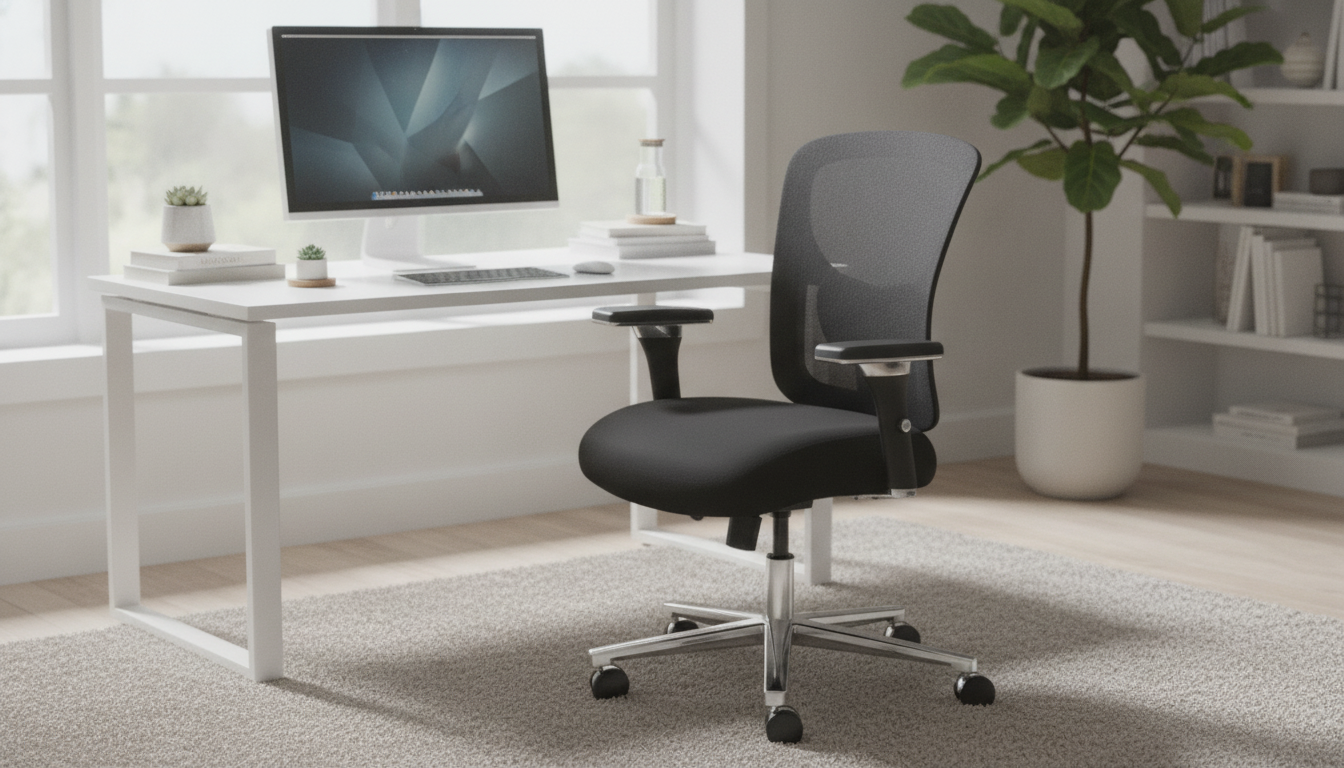
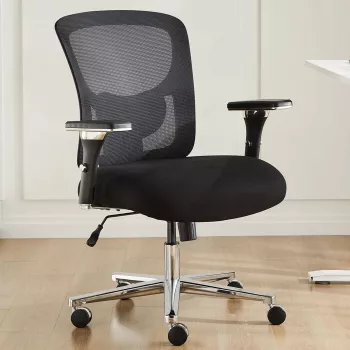
Designed for long desk sessions, this chair pairs a breathable mesh backrest with practical adjustability—seat height tuning and 3D armrests—so posture support can match different bodies, desks, and daily tasks. If you’re switching between typing, mouse work, reading, and calls, the right adjustments can help you stay more relaxed and consistent through the day.
Comfort at a desk isn’t only about cushioning—it’s also about temperature, alignment, and how easily you can change micro-postures while staying supported.
For a baseline workstation approach, guidance from OSHA’s Computer Workstations eTool aligns well with these adjustability goals: keep neutral joints, reduce reaching, and support the body so muscles don’t have to hold you up all day.
This chair is built around everyday adjustability—simple controls that make a noticeable difference once you dial them in.
| Feature | Why it matters | How to use it well |
|---|---|---|
| Mesh backrest | Improves ventilation and comfort over long sessions | Sit back so the backrest supports the mid-to-upper back rather than hovering behind it |
| Adjustable seat height | Helps achieve feet-flat posture and comfortable knee angle | Adjust until feet rest flat and thighs are roughly parallel to the floor |
| 3D armrests | Supports arms in varied tasks to ease shoulder/neck load | Set height so elbows rest lightly and shoulders stay relaxed |
If you want the full product details and current availability, see Ergonomic Mesh Backrest Office Chair with Adjustable Height and 3D Armrest.
A few minutes of setup can prevent hours of subtle strain. Use this quick checklist, then re-check after a day or two (your body will tell you what needs fine-tuning).
For a practical overview of chair/desk alignment, the Mayo Clinic office ergonomics guide offers clear checkpoints for posture, monitor placement, and arm positioning.
Arm support is often the missing piece in “I feel tense by 3 p.m.” setups. 3D armrests help because real work isn’t one static position.
When armrests are too low, you tend to “carry” your arms. When they’re too high, shoulders creep up. Aim for light contact—support without pressure.
Mesh feels different than thick foam, and that difference is the point: more airflow, a lighter feel, and responsive support.
Long-term comfort also benefits from reducing repetitive strain and taking brief movement breaks; NIOSH’s ergonomics resources highlight how fit, posture, and work habits work together over time.
| Detail | This chair’s configuration | Typical basic office chair |
|---|---|---|
| Backrest | Breathable mesh | Foam or basic fabric |
| Seat height | Adjustable | Sometimes limited adjustment |
| Armrests | 3D adjustable | Fixed or height-only |
| Best for | Daily desk work, long sessions | Shorter sitting periods |
3D armrests typically move in multiple directions so you can bring support closer for typing and slightly reposition for mouse work. Set the height so your elbows rest lightly with relaxed shoulders, then fine-tune the position so wrists stay neutral without reaching.
Mesh is often comfortable for long sessions because it promotes airflow and tends to feel cooler than fully padded backs. Comfort improves when you set the seat height correctly and sit fully back so the backrest provides steady support.
A helpful seat height is one that lets your feet rest flat, thighs stay roughly parallel to the floor, and avoids pressure behind the knees. If your desk height forces a higher seat position, a footrest can help keep legs supported.








Leave a comment